Making room for Linux in Vista: Shrink Partition
 I’ve had a Sony Vaio TZ laptop since my first trip to the States. It’s a nice little machine, but rather underpowered, especially with Vista Business on it. The other day I had a spare minute and decided to carve out a partition for Ubuntu. Said… done. It only took me just under a day 🙂 The main problem was Vista refusing to shrink the partition
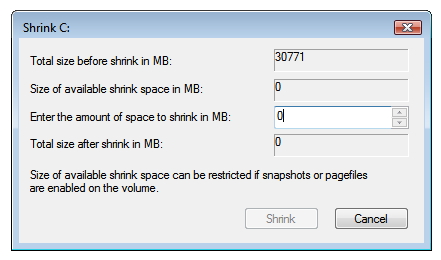
In other words, there’s loads of free space, but it won’t shrink.
As usual, Google turned up the answer. There’s an excellent post here on the subject. One addition: for the final defragmentation, I recommend a trial of Perfect Disk version 8 or later, rather than the Auslogics utility.
One more thing: you don’t have to go through power options \ advanced power options to disable Hibernation in Vista. You can also right-click Command Prompt in the Start menu, choose “Run as administrator”, then enter
powercfg /hibernate on
And that’s it. Still, not exactly a trivial job.